Fast startup
Last modified by Lev Andronov on 2024/10/28 14:49
Fast Startup is a feature that speeds up the boot process on Windows systems after shutdown. By default Fast Startup is enabled which prevents a full shutdown and can cause firmware-related malfunctions.
Please refer to the appropriate instructions for your Windows operating system to disable Fast Startup.
Windows 11
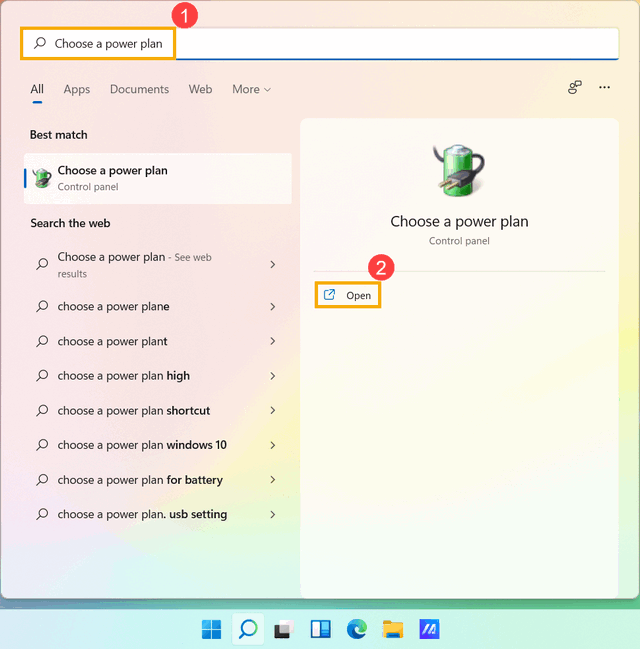
- Type and search Choose a power plan in the Windows search bar, and then click Open.
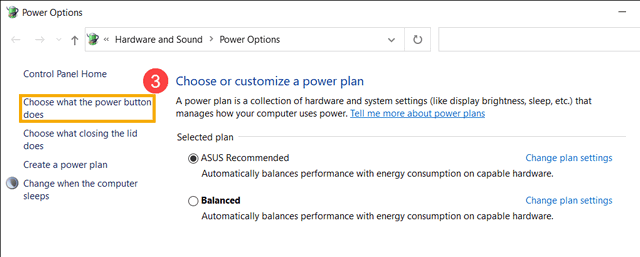
- Click Choose what the power button does.
- If the fast startup option is grayed out in Shutdown settings, please click Change settings that are currently unavailable.

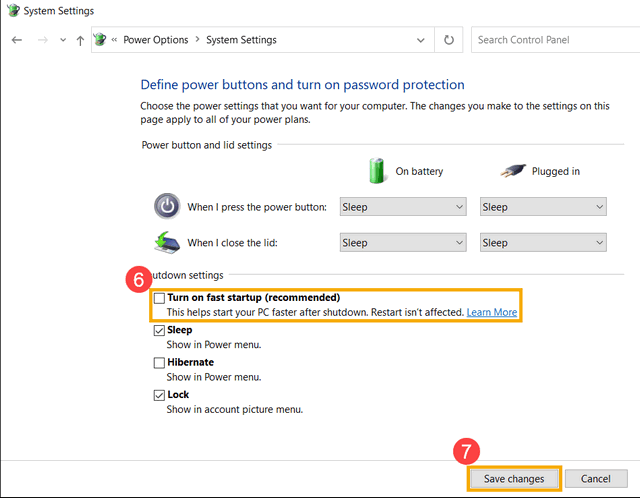
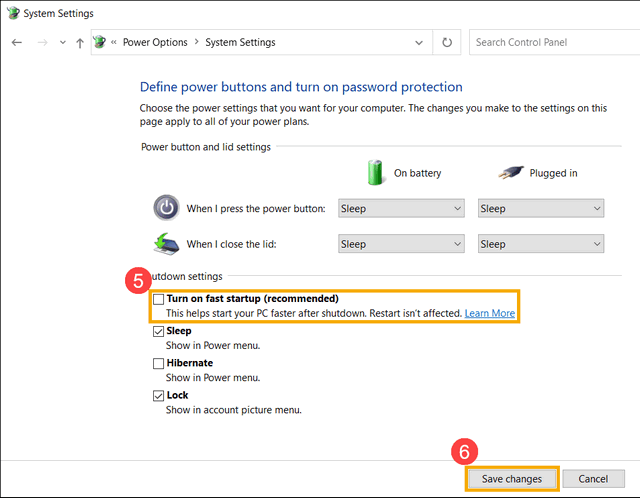
- Unselect Turn on fast startup, and then click Save changes, your device will disable the Fast Startup feature in Windows.
Windows 10
- Type and search Power & sleep settings in the Windows search bar, and then click Open.

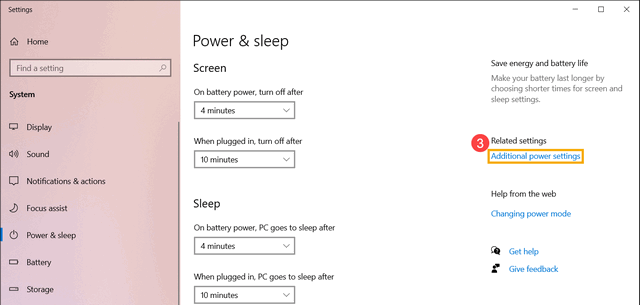
- Click Additional power settings.
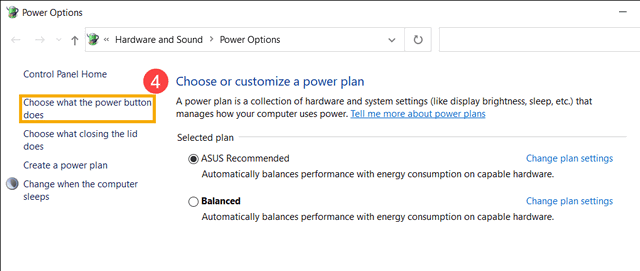
- Click Choose what the power button does.
- If the fast startup option is grayed out in Shutdown settings, please click Change settings that are currently unavailable.
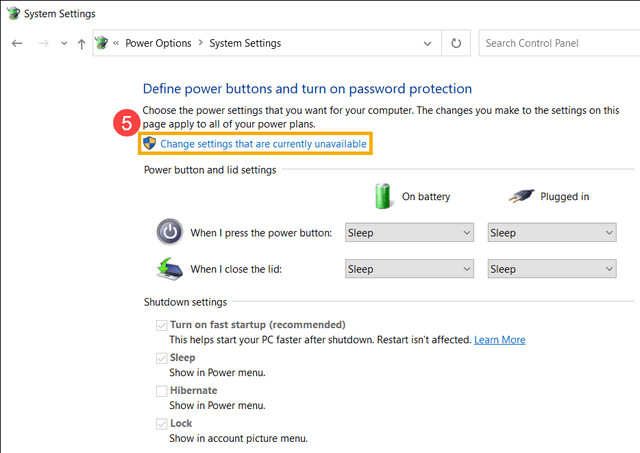
- Unselect Turn on fast startup, and then select Save changes, your device will disable the Fast Startup feature in Windows.